Features
Everything a food business needs to receive, store and trace food, and to show its records when the verifier calls. Every feature is in every licence.
How it works
- 1
Receive
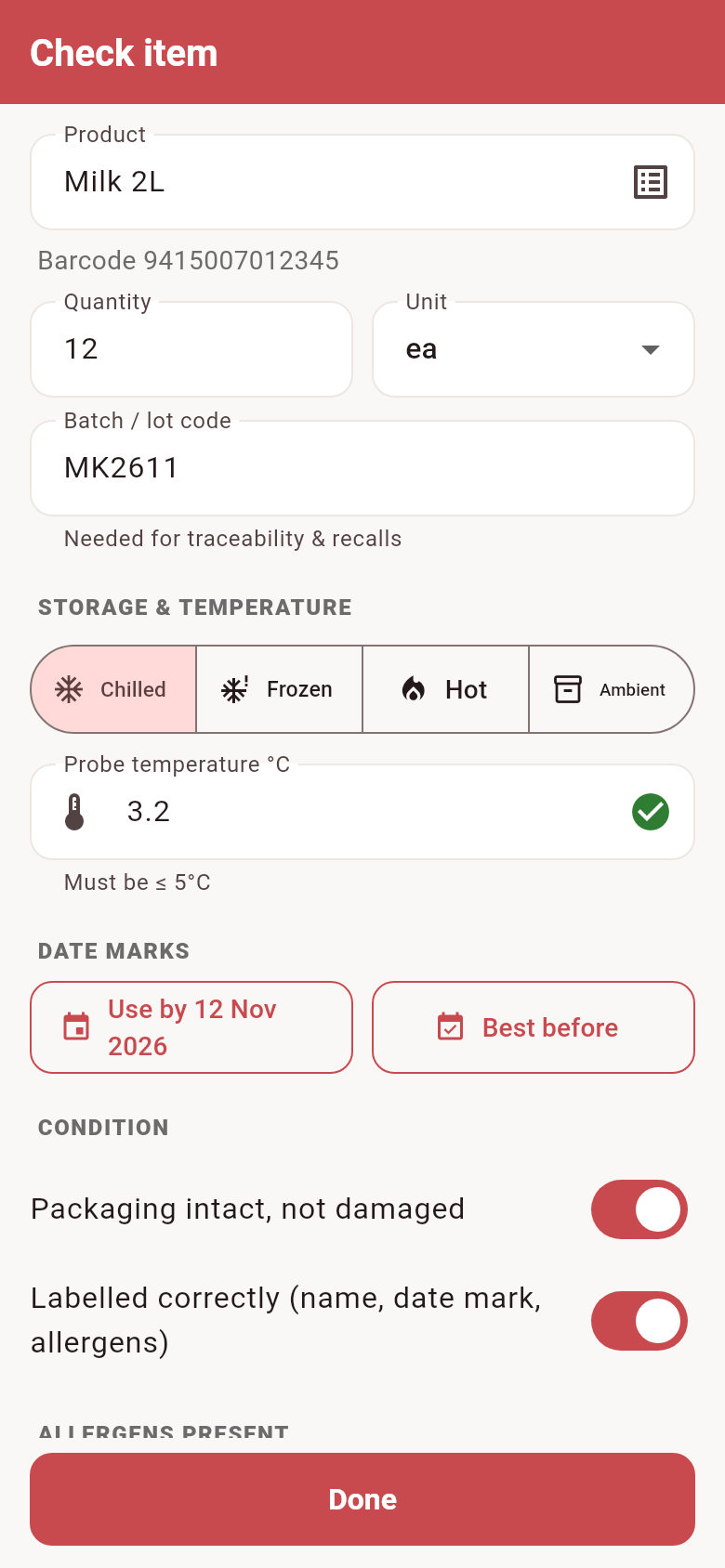
Scan the barcode, check the temperature, batch and use by date. Accept or reject on the spot.
- 2
Store
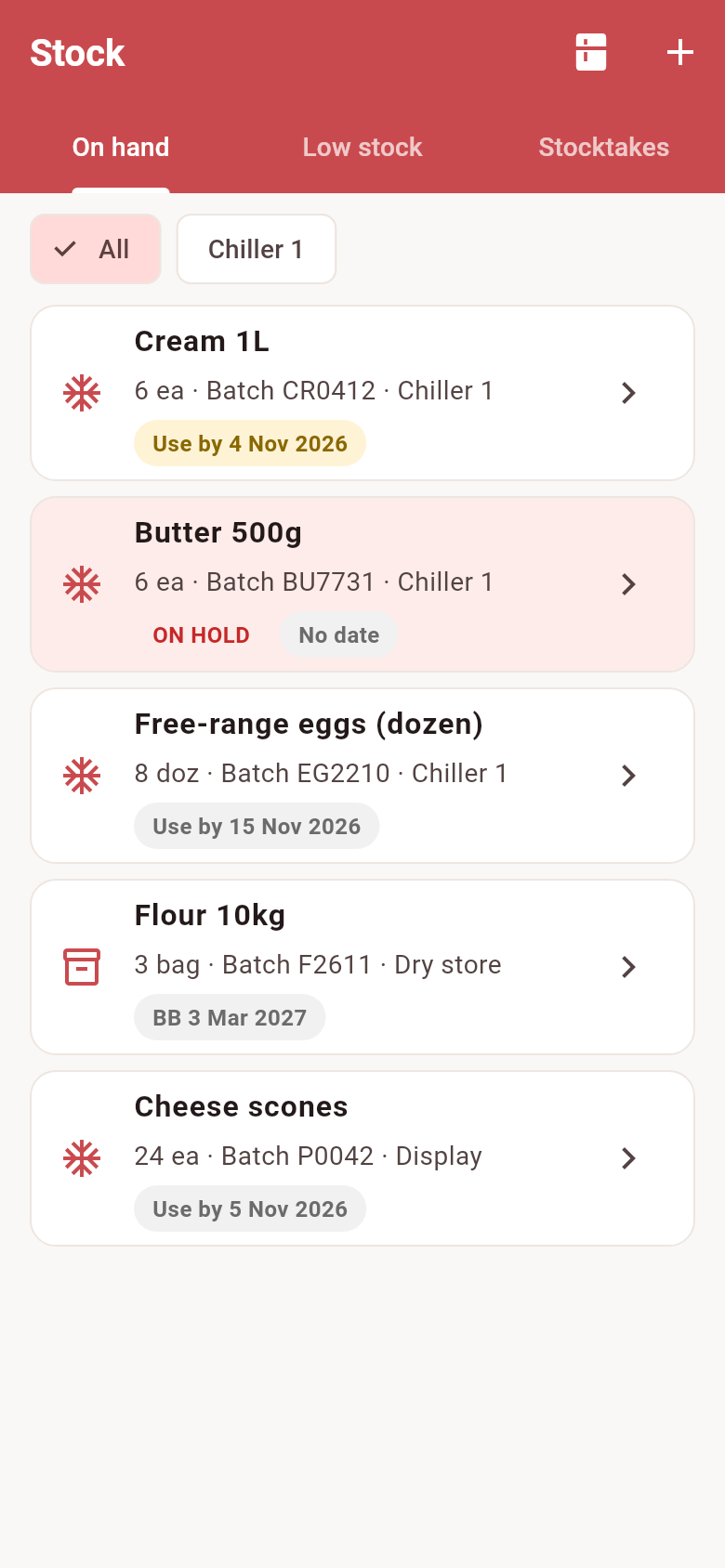
Accepted goods become stock by location, first expiring first, with holds and low stock alerts.
- 3
Make or grow
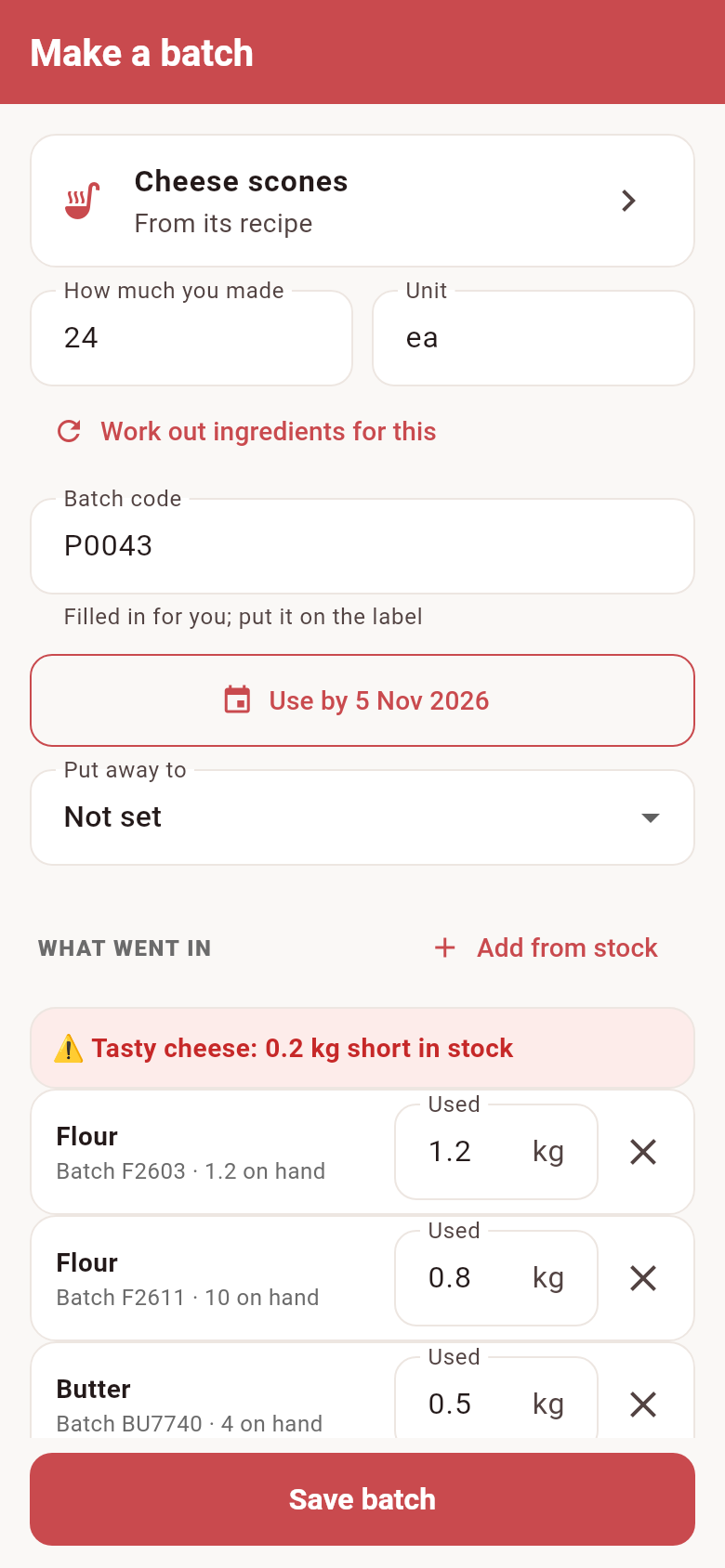
Make a batch from a recipe, or harvest from a paddock or hive. It goes into stock with a batch code and its checks.
- 4
Trace
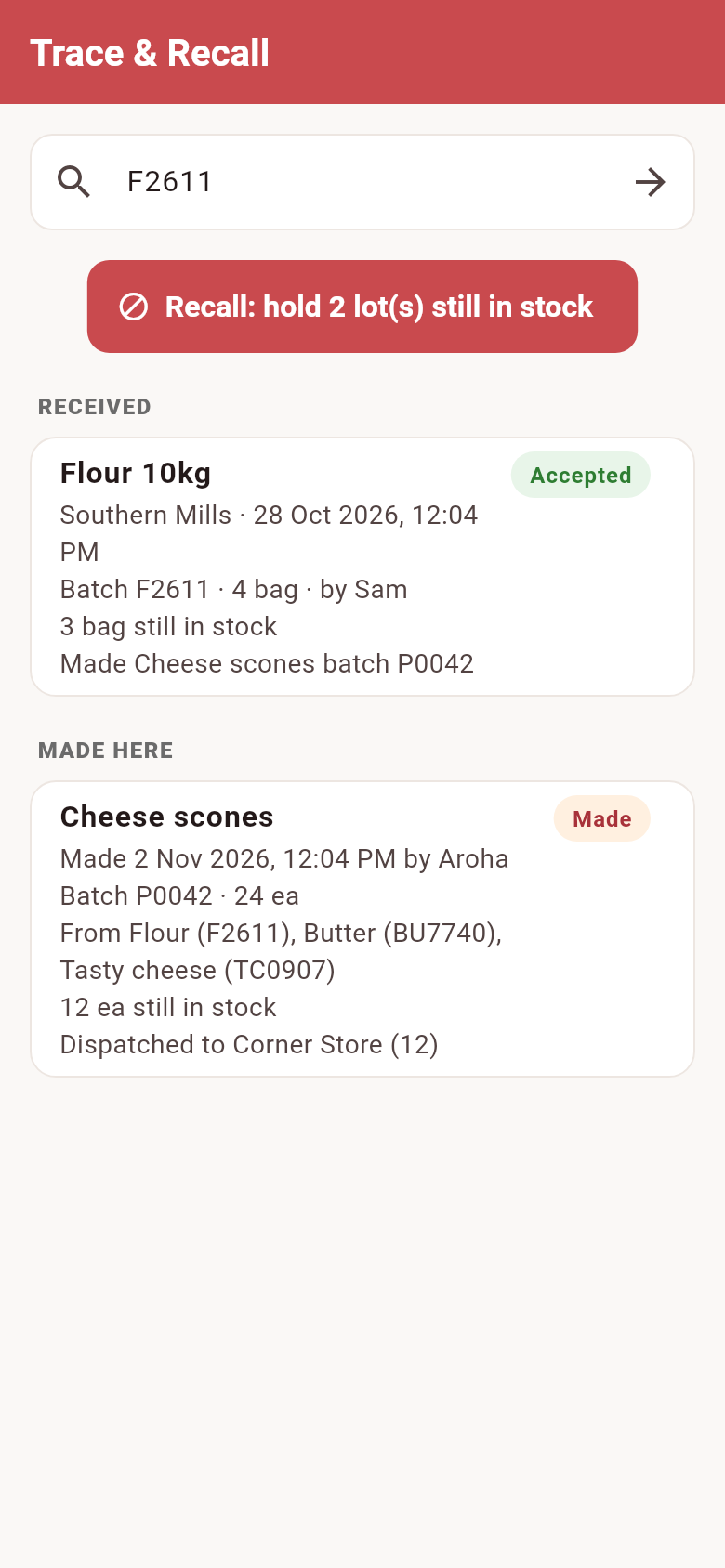
Search a batch code to see who supplied it, how much is left and where it went. One tap holds it all.
- 5
Audit
Audits fill themselves in from your deliveries, temperatures and records, with the evidence attached.
Deliveries and stock
Goods inwards
Supplier, invoice, vehicle check, probe temperature, packaging, allergens and put away, item by item.
Enter it once
Every product, supply, supplier and customer is typed once. After that you search for it or scan its barcode and it's all filled in.
Barcode autofill
New products fill in from Open Food Facts, including allergens.
Stock by location
Accepted goods become lots you can see by location, oldest use by first, with par levels and low stock alerts.
Holds, recalls and stocktakes
Put a batch on hold, recall it, or count a location. Every movement is recorded.
Production
Its own tab
Production sits on the main menu, named for what you do: Kitchen, Production or Harvest. Retail keeps it tucked away.
Recipes and batches
Save a recipe once, then make batches from it, or a one off from whatever stock you pick. Allergens carry through to what you make.
Harvests
Farms and growers record what they picked, cut, extracted or raised, and which paddock, block, glasshouse or hive it came from. No stock needed.
Checks on every batch
Cooking, cooling, reheating, pH, water activity, allergen and label, and harvest checks, kept with the batch. A reading out of limits raises a corrective action.
Plan ahead
Plan the day's or week's batches, see what you're short of before you start, and start a planned batch with one tap.
Fix a mistake
Void a batch recorded by mistake: what went into it goes back into stock and the record stays, struck through.
Trace through production
Search a supplier batch or a paddock to see what you made from it and who it went to, or a batch you made to see what went in.
Food safety records
Temperature checks
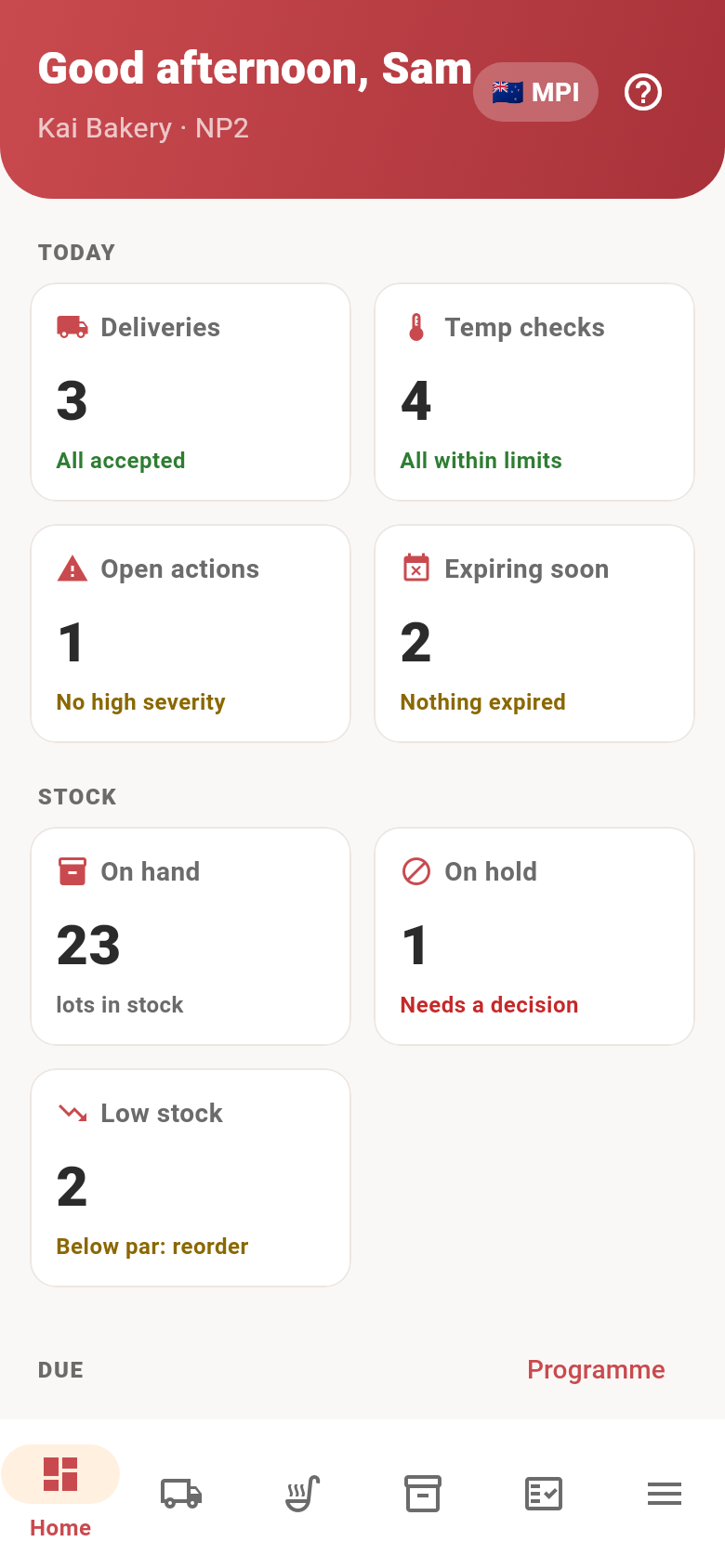
Chillers, freezers, hot holding, cooking and cooling. Out of range readings need a corrective action.
Your programme
NP1, NP2, NP3 or your own, narrowed to what your business does, with a Due list of the records you need to keep.
Corrective actions
Raised automatically for rejected goods, failed checks, expired stock and audit findings, then closed out.
Audits that fill themselves in
Self checks answered from your deliveries, temperatures and records, with the evidence attached.
Your team and your records
Phone, tablet and browser
Android, iPhone and any web browser, with one account across all of them.
Staff and roles
Invite staff by email. One account can work across several businesses, with a different role in each.
Kept for 7 years
Every change is logged with who, when and what. Nothing is deleted.
Export everything
Admins can export all of a business's records at any time.
Insights
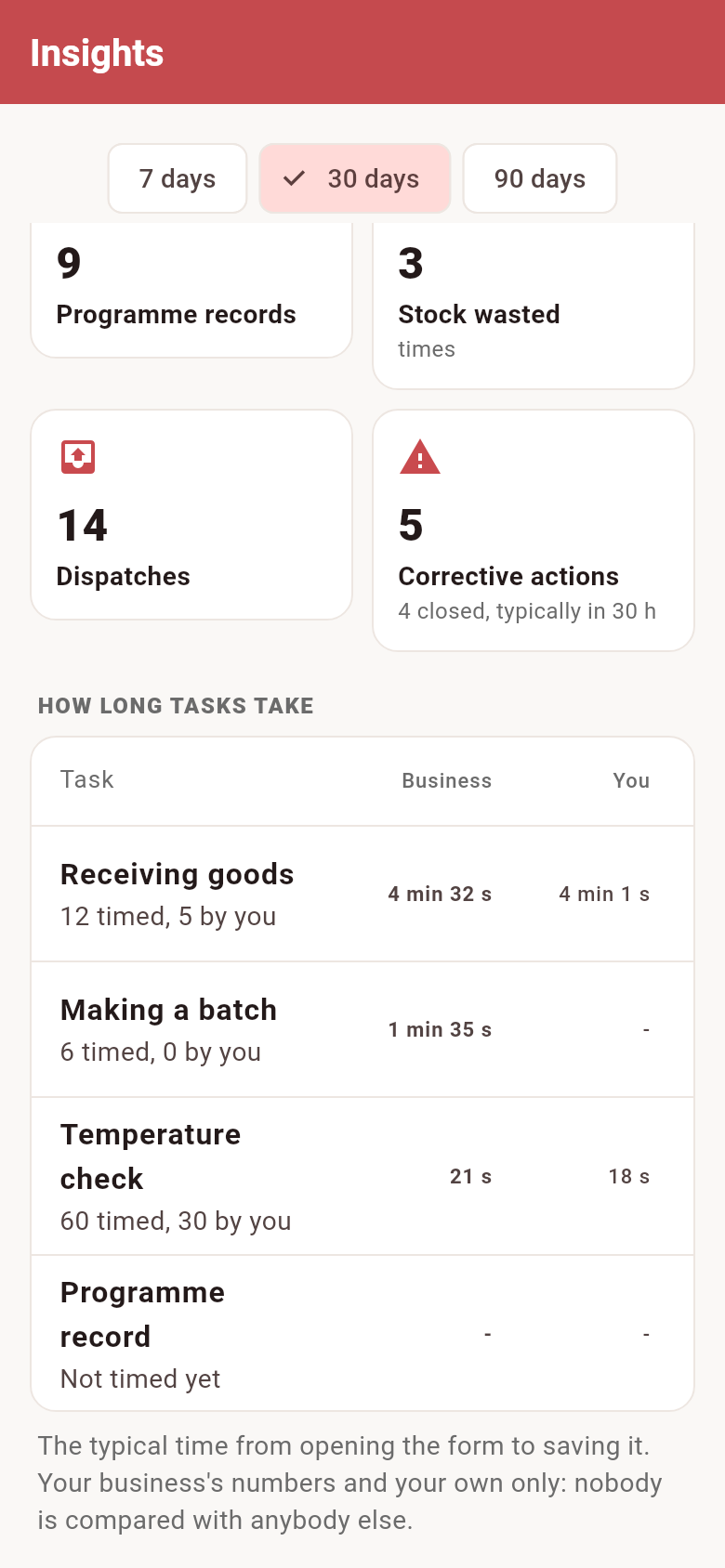
What your business did this week, month or quarter, and how long everyday tasks take, with your own times alongside. No staff league tables.
Help built in
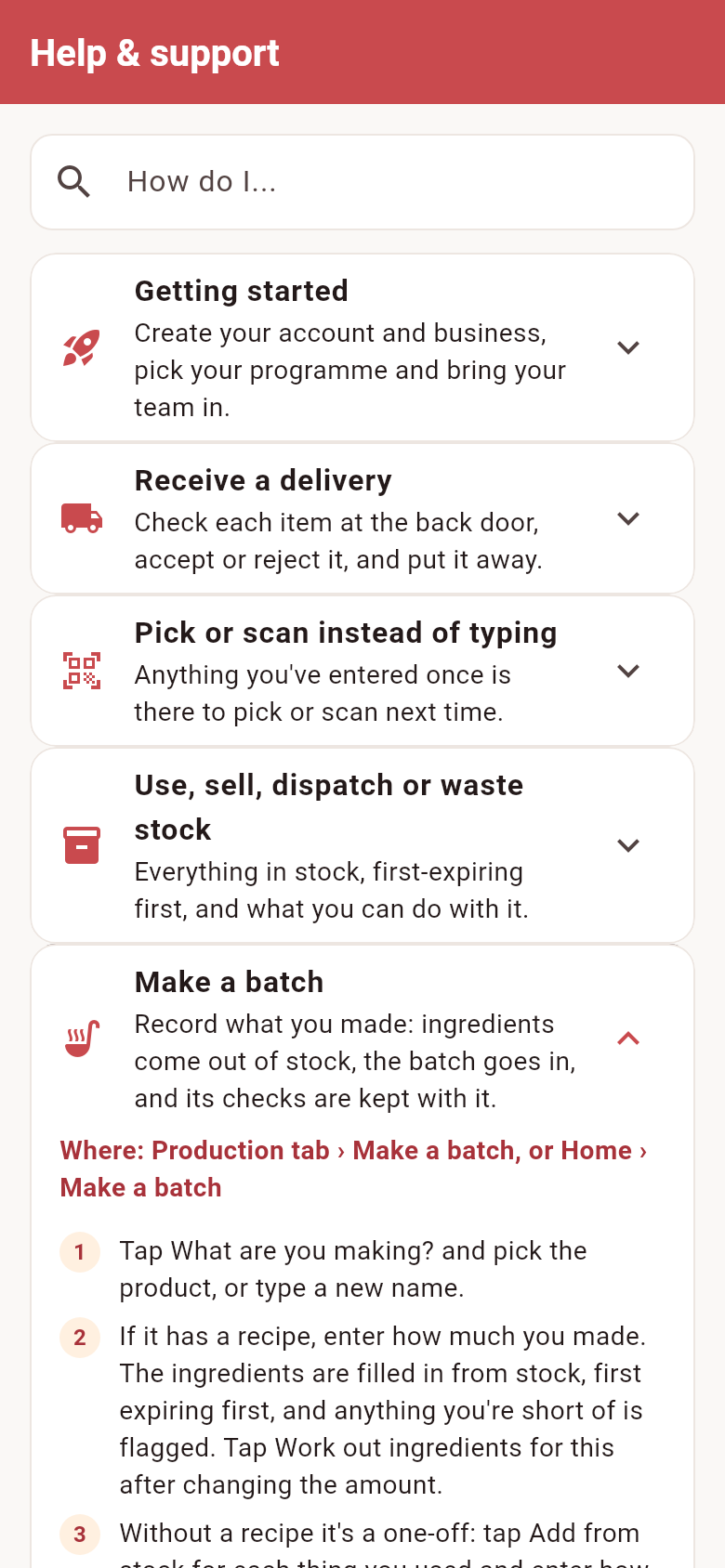
Step by step guides in the app and on this website, and a real person by email when you need one.
A look inside
Want to know how something works? See the step by step guides.
See what your programme asks for
NP1, NP2, NP3 or your own custom programme.